To sign in you need the mobile number and the password you chose when you registered. This Faz999 Game login guide covers every step, explains why login problems happen and gives you a clear fix for each one. It also teaches you how to keep your account safe every time you sign in.
⬇ Download Faz999 GameFaz999 Game Login: Step by Step
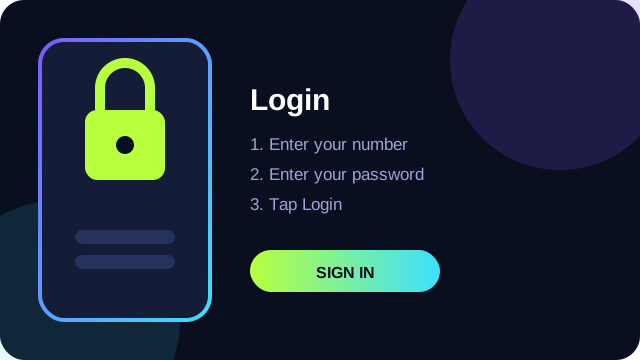
- Open the Faz999 Game app on your phone.
- On the login screen, enter the mobile number you registered with.
- Enter your password carefully. Passwords are case sensitive.
- Tap Login and wait for the main screen to load.
If you do not yet have an account, read the Faz999 Game register guide first. If you have not installed the app, start with the download guide.
Before You Try Again: A Quick Checklist
When login fails, most people try the same thing over and over. Instead, run through this checklist once. It solves the majority of problems in under two minutes.
- Is your internet working? Open any website to test.
- Is the number correct, with no extra digit and no missing digit?
- Is Caps Lock or the wrong keyboard language changing your letters?
- Is the app the newest version?
- Have you restarted the phone recently?
What If I Forgot My Password?
Everybody forgets a password at some point. Look for the Forgot Password option under the login fields. The app may send a verification code to your registered number, or it may offer another recovery method. Follow the instructions on the screen. When a code arrives, type it in yourself. Never give this code to another person, even if they claim to be from support. A real support team will never ask for it.
When you create a new password, make it different from the old one and from every other password you use. Aim for at least ten characters with letters, numbers and a symbol.
Why Faz999 Game Login May Fail
Wrong number or password
This is the most common reason. Check each digit of your number. For the password, remember that capital letters matter, and that some keyboards add a space after a suggested word without you noticing. Delete the field and type it again slowly.
Weak or unstable internet
A login request needs a stable connection. Switch between Wi-Fi and mobile data. If you are indoors with a weak signal, move near a window or switch to Wi-Fi.
An old version of the app
Old versions can stop working after the server changes. Download the latest version using the steps in our download guide and install it over the old one.
The server is busy
Sometimes many users sign in at the same time and the server slows down. Wait ten or fifteen minutes and try again. Repeated quick attempts only make it worse.
Too many failed attempts
Many apps temporarily lock an account after several wrong passwords. If you see a message about a lock, wait for the period shown, then try once with the correct password.
Wrong date and time on your phone
Some apps fail to connect securely if the phone clock is wrong. Open your phone settings and turn on automatic date and time.
A VPN or proxy is switched on
Some services block unusual connections. Turn off your VPN and try again.
⬇ Get the Latest VersionFixing App Problems That Block Login
The app crashes when you tap Login
Clear the app cache. Open Settings, then Apps, then Faz999 Game, then Storage, and tap Clear Cache. Restart the app and try again.
The screen stays white or black
Force stop the app, restart your phone and open the app again. If it is still blank, reinstall the newest version.
The login button does not respond
Update the app and your phone's system software. If you use a screen protector or case that blocks the touch area, tap the button closer to its centre.
How to Recognise a Fake Login Page
Scammers copy the look of popular apps and websites and ask you to type your number and password. Protect yourself with these habits:
- Only sign in through the app you installed from a source you trust.
- Be careful with links that arrive in messages and ask you to "verify your account".
- Check the address of any website before you type a password. Misspelled names are a clear warning.
- Never type your password into a page that opened from a chat, a comment or an advertisement.
Keeping Your Account Safe Every Time You Log In
- Log out on shared phones. Never stay signed in on a device that belongs to someone else.
- Avoid public Wi-Fi. Networks in cafes, stations and markets can be watched by other people.
- Change your password from time to time. Every few months is a good habit.
- Do not share login details. Not with friends, not with family, not with anyone who says they are support.
- Use a screen lock. A PIN or fingerprint stops others from opening the app if your phone is lost.
- Keep your phone updated. Updates close security holes.
Logging In on a New Phone
If you buy a new phone, install the app using our download guide and sign in with the same number and password. Your account lives on the server, so you normally do not lose it. Log out of the old phone before you sell it or give it away, and remove the app from it.
What to Do If Someone Else Logs In to Your Account
If you see activity you did not do, act quickly. Change your password straight away, log out of other devices if the app allows it, contact the official support channel inside the app and save screenshots of anything suspicious. Do not send money to anyone who offers to "recover" your account. That is a common second scam.
Contacting Support the Right Way
Use only the help section inside the app or the support details published on its verified pages. When you write, include your registered number, a short description of the problem and a screenshot of the error. Do not include your password or any OTP. Be patient, because replies may take some time during busy periods.
What Happens If You Lose Your Phone or SIM Card
Losing a phone is stressful, but a calm, quick response protects your account.
- Use another phone to call your mobile network and block the lost SIM. Ask for a replacement with the same number.
- If your phone has a find-my-device feature, locate it or lock it remotely and erase it if you cannot recover it.
- When you get your number back, install the app on a new phone and reset your password.
- Change the password of your email account and any other account that used a similar password.
- Watch your account for any activity that you do not recognise.
This is also a good reason to use a screen lock. A strong PIN or fingerprint gives you time to react.
SIM Swap Fraud: A Risk You Should Understand
In a SIM swap scam, a criminal convinces a network to move your number to a SIM card they control. They can then receive your verification codes. Warning signs include sudden loss of signal for no reason and messages from your network about a SIM change that you did not request. If you lose signal unexpectedly, contact your network straight away from another phone. Never share your CNIC details or SIM information with callers who say they are from the network, because genuine staff do not need you to read out codes.
Using a Password Manager
A password manager is an app that stores all your passwords safely behind one master password. It can generate long random passwords for each app, which is much safer than reusing a single one. Choose a well-known manager, create a very strong master password that you have never used elsewhere and write it on paper kept at home. When you create or change your Faz999 Game password, let the manager generate a unique one and store it. You will not need to remember it, and a leak on another site cannot hurt you here.
Screen Lock and Biometrics
A screen lock stops someone who picks up your phone from opening your apps. Use a PIN of at least six digits or a strong pattern, and add a fingerprint if your phone supports it. Avoid obvious PINs such as 000000, 123456 or your birth year. Set the phone to lock automatically after 30 seconds of inactivity. This takes two minutes and removes a huge amount of risk.
Sharing a Phone Safely
In many homes, one phone is used by several people. If you must share, follow these rules. Create a separate user profile if your phone supports it, log out of the app every time you finish, do not allow the browser or the app to save your password, and never leave the app open on the screen while you walk away. If a child uses the phone, keep any wallet or payment apps locked with a PIN.
Public Wi-Fi and Why It Is Risky
Free Wi-Fi in a cafe or a station is convenient, but anyone can set up a network with a friendly name to collect what passes through it. Even a real public network is shared by many strangers. For login, use your own mobile data or your trusted home connection. If you must use a public network, do not sign in to anything that involves money.
Checking Your Account Activity Regularly
After every login, take ten seconds to look at your account page. Does the balance look right? Does the history match your own records? If you keep a notebook of activity, compare it once a week. Catching a strange entry early makes it easier for support to help you and easier for you to prove what happened.
Reinstalling the App Without Losing Access
If nothing else works, a clean reinstall solves many mysterious login problems. First, make sure you remember your number and password, or that you can reset your password. Then follow these steps:
- Take a screenshot of your account details if you can still open the app.
- Go to Settings, Apps, Faz999 Game and tap Uninstall.
- Restart your phone.
- Download the newest file by following the download guide and install it.
- Open the app and sign in with your number and password.
How to Set the Date and Time Automatically
Open Settings, search for Date and time and switch on Automatic date and time and Automatic time zone. A wrong clock can cause secure connections to fail, and that can look like a login problem. After you fix it, restart the app.
Understanding Error Messages
Error messages look scary, but they usually fall into a few simple groups.
- Incorrect number or password: a typing mistake or a forgotten password. Check your details or reset the password.
- Network error or timeout: a connection problem. Switch networks and try again.
- Account locked or restricted: too many attempts or a rule has been triggered. Wait, then contact support if it continues.
- Server error: the problem is on the service side. Wait and try later.
- Version outdated: you must update the app before you can sign in.
When you contact support, quote the exact message you saw. It helps them find the cause much faster.
Good Login Habits Checklist
- Use a unique, long password and store it in a password manager or on paper at home.
- Lock your phone with a PIN or fingerprint.
- Sign in only from your own phone and your own connection.
- Log out of any device you do not own.
- Never type your password into a link that someone sent you.
- Check your account activity every week.
- Keep the app and your phone updated.
When to Stop and Take a Break
If you notice that you are logging in many times a day, checking your balance when you are stressed or hiding your activity from the people around you, take it as a signal to pause. Turn off notifications, sign out and give yourself a few days. Any app that you cannot comfortably leave alone for a week deserves a closer look at your habits.
Frequently Asked Questions About Faz999 Game Login
What do I need to log in?
Your registered mobile number and your password.
I forgot my password. What now?
Use the Forgot Password option on the login screen and follow the steps shown.
Why does the app say my password is wrong when it is correct?
Check for capital letters, extra spaces and the keyboard language. If you are sure, reset the password.
My account is locked. What should I do?
Wait for the lock period to finish, then try once. If it stays locked, contact the support channel inside the app.
Can I log in on two phones at once?
That depends on the app's own rules. Check inside the app and always log out of devices you no longer use.
Do I need the internet to log in?
Yes. Login checks your details with the server, so a working connection is required.
How can I tell if the app I installed is genuine?
Install only from a source you trust and compare the file size with the one on our home page. If something looks wrong, uninstall it and download again.
Should I save my password in my phone?
If you do, make sure your phone has a strong screen lock. A reputable password manager is safer than a plain note.
How often should I change my password?
Every few months, and straight away if you think someone saw it.
Advanced Fixes When Nothing Else Works
Toggle airplane mode
Switch airplane mode on for ten seconds, then switch it off. This resets your phone's network connection and often fixes a stuck login.
Restart your router
If you are on home Wi-Fi, unplug the router for thirty seconds and plug it back in. Wait two minutes before you try again.
Change your DNS
Some networks block or slow certain services. In your Wi-Fi settings you can switch to a public DNS service. Only do this if you are comfortable changing network settings, and write down the original settings first.
Free up memory
Close all background apps and restart your phone. A phone with almost no free memory may close the app while it is trying to sign in.
Try another network
Switch from Wi-Fi to mobile data or ask a friend to share a hotspot. If login works on a different network, the first network was the problem.
Update your phone software
Open Settings, then System, then Software update. Old system versions can fail to connect securely to modern servers.
How to Clear App Cache and Data
Clearing the cache removes temporary files and is safe. Clearing data resets the app as if it were freshly installed, so you will need to log in again. Go to Settings, Apps, Faz999 Game, Storage, and choose Clear Cache first. If that does not help, choose Clear Data and sign in again with your number and password. Make sure you remember your password before you clear data.
When to Contact Support
If you have tried the fixes in this guide and you still cannot sign in, contact support through the official channel in the app. Describe what you did, include the exact error message and mention the date and time of your last successful login. This helps them check your account without asking you for private details.
How Login Sessions Work
When you log in, the app usually receives a temporary token from the server that keeps you signed in for a period of time. If you keep the app signed in on your phone, anyone who opens your phone can open the app. That is why a screen lock matters. If the app asks you to sign in again after a while, that is a security feature, not a fault. Some apps also sign you out if they detect a login from a new device, which protects you if your password is stolen.
Is It Safe to Stay Logged In?
On your own phone with a strong screen lock, staying signed in is a reasonable choice. On a shared phone, a work phone or a phone that is often left unlocked, it is not. Think about who can pick up your phone during the day and decide accordingly. If in doubt, log out.
Two Final Tips
First, write down the exact steps that work for you the first time you log in successfully and keep them with your password. Second, if a login suddenly stops working after months of normal use, do not panic. Run through the checklist at the top of this page. Nine times out of ten, the cause is your connection, an outdated app version or a small typing mistake.
Summary
To log in, open the app, enter your registered number and password and tap Login. If it fails, check your connection, your details and your app version, then reset your password if needed. Keep your login details private, log out on shared phones and avoid fake login pages. These habits keep your Faz999 Game account secure.
⬇ Download Faz999 Game